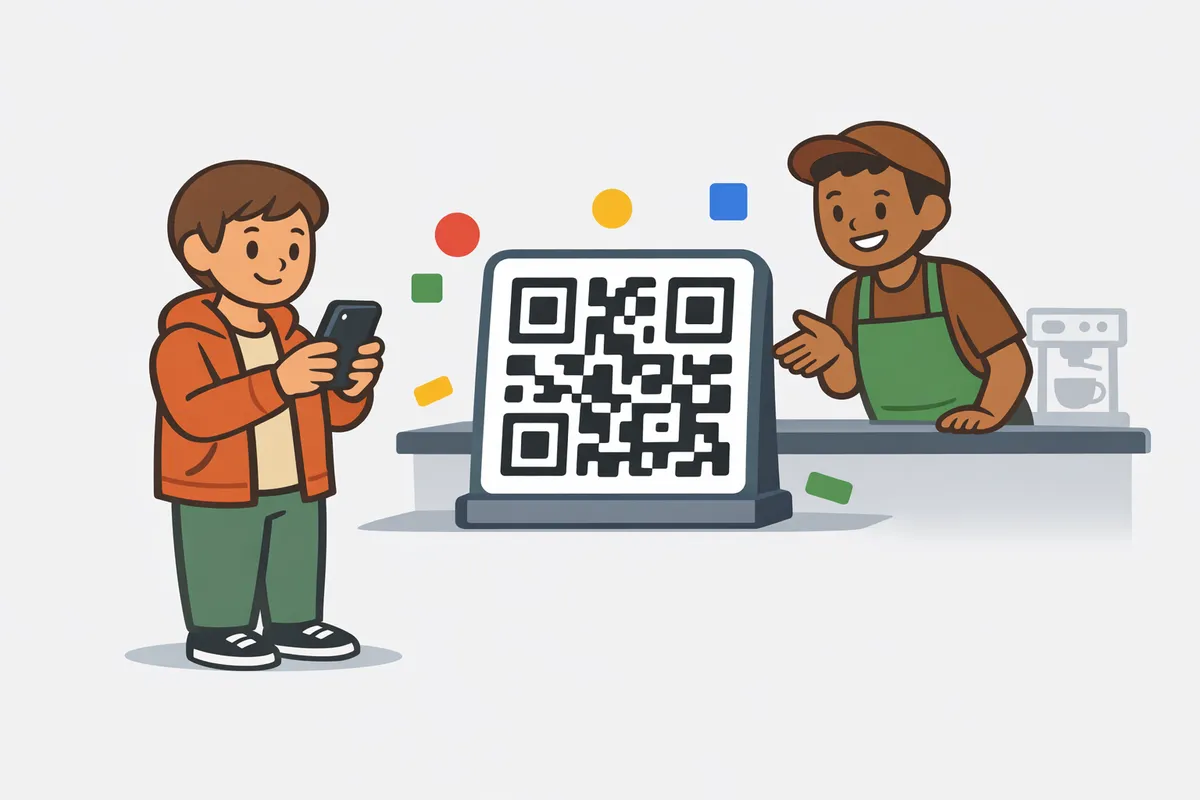
Does a sudden spike in five-star ratings actually hurt your local search visibility? In 2025, Google's spam algorithms actively penalise businesses that generate reviews too quickly without a consistent, natural velocity. Simply handing out a link isn't enough anymore. You need a reliable Google Review QR Code Generator combined with a strategic distribution plan to capture authentic feedback whilst keeping your business profile safe from sudden suspension.
If balancing review velocity with daily operations feels overwhelming, ReviewSense automates the entire collection process to build trust on autopilot.
The Evolution of the Google Review Link Generator in 2026
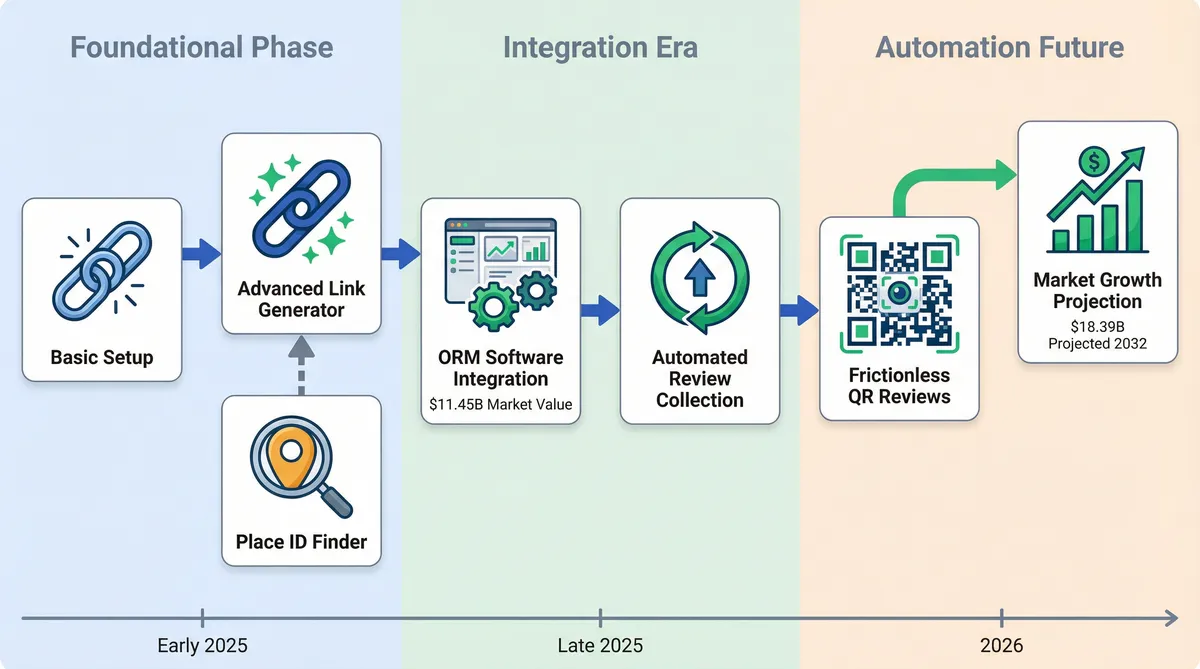
As businesses move beyond basic setup, the tools they use to capture customer feedback have transformed. By 2025, a google review link generator is far more than a simple URL shortener. It has evolved into a core component of the $11.45 billion Online Reputation Management (ORM) software market. This shift reflects a deep understanding of search dynamics. Companies now treat reputation as a measurable asset.
Google continues to dominate local search with a 73% share of the total review platform market. This massive concentration means your visibility depends on maintaining a steady stream of fresh feedback. To manage this volume, manual requests are no longer sufficient. Teams need scalable systems to capture sentiment efficiently. You can explore this shift by investigating Google review management software to see how automation drives growth.
Consumer behaviour has shifted alongside these technological advances. Shoppers expect immediate ways to share their experiences. Many consumers now scan QR codes specifically to read or leave reviews while on the premises. This behaviour highlights the vital concept of friction reduction. When you remove barriers between a customer and the review form, completion rates rise. A frictionless path yields better results than traditional email requests.
This focus on removing friction explains why the ORM software market is projected to reach $18.39 billion by 2032. Businesses recognise that a dedicated link generator is a fundamental utility. It bridges the gap between a positive interaction and a digital endorsement. If you are struggling to locate your exact profile, a Google Place ID finder ensures your links direct customers perfectly. Every removed click protects your reputation.
How to Generate Your Google Review Link and QR Code
To remove those clicks, you must build a direct path to your review form. By 2025, over 2.2 billion people across the globe will use QR codes. Right now, 47% of consumers report scanning a code to read or leave a review. Capturing this mobile audience is vital. Reaching the 'Magic 10' reviews threshold triggers a ranking boost in Google Maps.
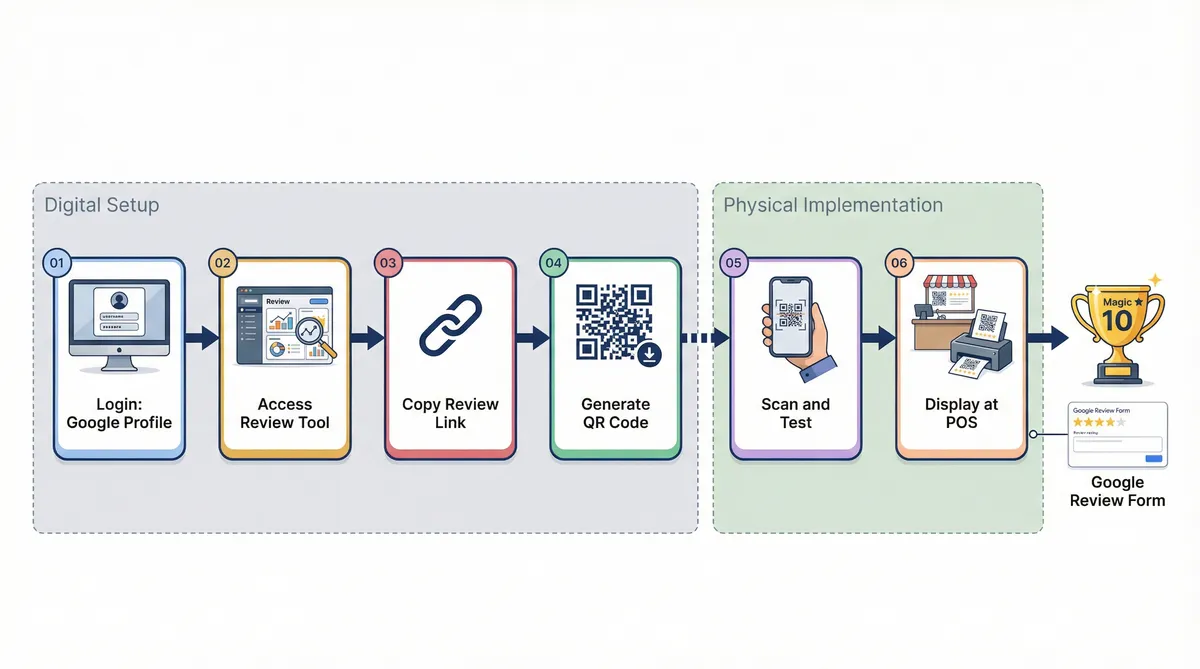
Google introduced a built-in QR code generator inside the Google Business Profile dashboard in March 2025. This update simplified the process for local shops. A specific limitation remains. As of early 2026, these native codes require a desktop browser.
Here's how to create your assets using the desktop method:
- Log into your Google Business Profile using a desktop browser.
- Navigate to the 'Ask for reviews' section on your main dashboard.
- Copy the short URL provided for your email campaigns.
- Click the 'Download QR Code' button to save your image file.
- Test the downloaded image with your smartphone camera.
- Print and display the code at your point of sale — browse our printable QR code templates for ready-made designs.
Mobile access remains a challenge for busy teams. Managers need to share links outside the office. If you need quick access from a phone, a dedicated Google review link generator offers a practical alternative, and our guide to using a Google review generator tool covers what to do with the link once you have it. You can use free tools from ReviewSense to create mobile-friendly links on the go. This bypasses the desktop restriction.
Scaling this process is essential for larger operations. Around 75.6% of multi-location businesses rely on automated review tools. The same goes for automotive dealerships, real estate brokerages and law firms where each location or attorney needs its own review link. If you manage multiple sites, Mastering the Google Place ID Lookup Tool: A Step-by-Step Data Mapping Tutorial helps ensure every code points to the correct location.
Success vs. Suspension: Real-World Link Distribution Strategies
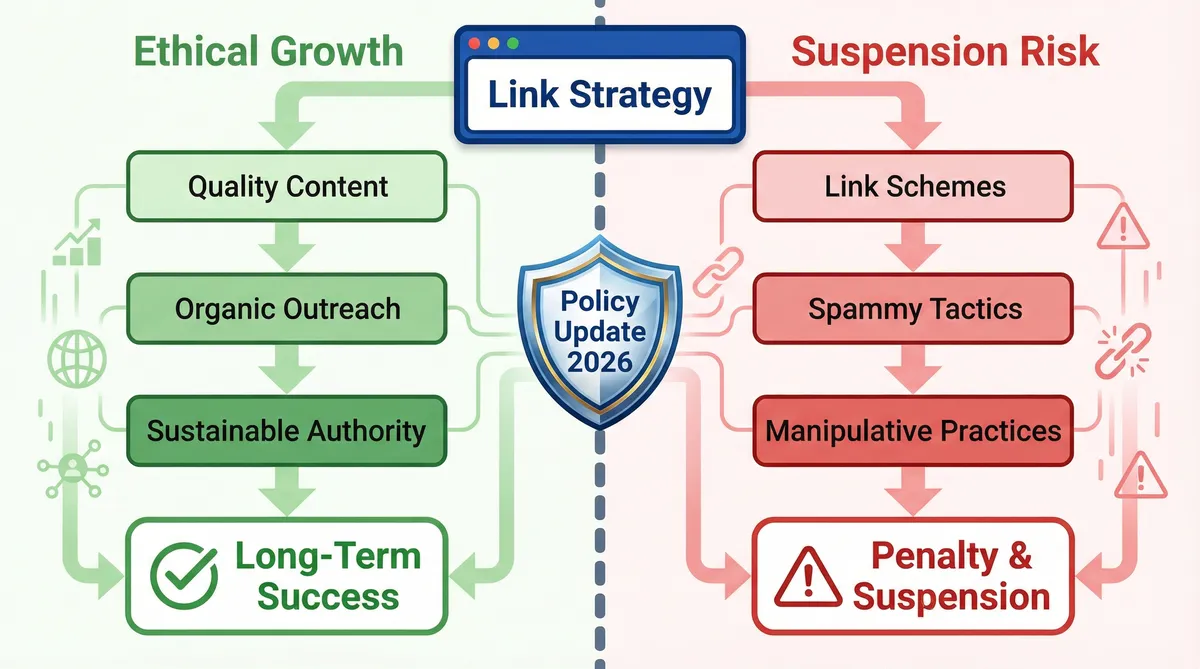
While mapping location data ensures accuracy, how you distribute your google review link generator output determines whether you grow or face penalties. The line between smart automation and platform manipulation is thin.
| Strategy | Real-World Outcome | Verdict |
|---|---|---|
| CLF Services: Automated SMS requests | Generated +$30k in traceable revenue. | Success |
| Nyle Maxwell Group: Post-purchase SMS | Achieved a 180% volume increase. | Success |
| The Coffee Corner: NFC/QR at checkout | Drove a 40% increase in feedback. | Success |
| Fashion Nova: Conditional incentives | Hit with a $4.2M fine. | Suspension |
| Calgary Roofing: Sudden velocity spike | Placed in 'Review Jail' for unnatural patterns. | Suspension |
These outcomes highlight a clear divide. Ethical distribution builds trust, while manipulative tactics destroy it. The February 2026 policy update made this explicit. Google officially banned 'review gating' and initiated mass review purges for businesses offering conditional incentives.
The anonymous Calgary Roofing company learned this the hard way. A sudden spike in reviews triggered algorithmic filters, landing them in 'Review Jail'. If you filter out unhappy customers before presenting a link, you risk losing your entire profile. Recovering your presence is difficult. You might need to consult a Google Business Profile Suspended? How to Appeal and Get Reinstated (2026 Guide) to navigate the complex recovery process.
Instead of risking penalties, focus on compliant management. ReviewSense offers a safe alternative. ReviewSense centralises feedback across Google Business Profile and Facebook. You can use the auto-reply and queue workflows to handle incoming comments efficiently. This keeps your response times low without violating platform rules.
Consistent review generation has a direct impact. A 1-star improvement in a Google rating correlates to a 5% to 9% increase in revenue. By using a compliant Review Request Email Generator, you maintain a steady velocity. You'll protect your brand while driving measurable growth.
The 18-Day Rule and Review Velocity: Why Consistency Beats Volume
Maintaining that steady velocity requires a deep understanding of how algorithms evaluate incoming feedback over time. While many teams focus purely on total star ratings, search engines prioritise the timing of your submissions.
Understanding these timing mechanics prevents algorithmic penalties. Here are the core principles of review timing:
- The 18-Day Rule: Local search visibility relies heavily on constant activity. If a business goes 18 to 21 days without acquiring a new review, its local ranking begins to drop. Stale profiles signal that a business might be inactive.
- Recency Bias: Customers share this preference for fresh information. Research shows that 73% of consumers only trust reviews written within the last 30 days. Older feedback carries less weight during their purchasing decisions.
- The Velocity Trap: Desperate attempts to refresh profiles often backfire. Blasting a google review link generator to your entire mailing list to secure 20 reviews in a single weekend is dangerous. This sudden spike triggers Google's SpamBrain filters, resulting in shadow bans.
Consistency always beats volume. A slow, steady influx of feedback builds trust. It also improves your "Local Pack" ranking, which can lead to a 45% increase in website conversion rates.
To maintain this balance, you'll need clear visibility into your metrics. ReviewSense provides advanced analytics to track review velocity and response rates across Google Business Profile, Facebook, and the Apple App Store.
ReviewSense helps teams monitor incoming feedback without triggering spam filters. You can spot trends early and adjust your request campaigns to match.
If you notice sudden drops, understanding Why Google Is Deleting Your Reviews in 2026 (And How to Protect Them) helps you safeguard your reputation.
For a complete strategy, exploring How to Manage Google Reviews Effectively: A Step-by-Step UK Business Guide ensures your daily operations remain compliant.
The Contrarian Playbook: Optimizing for AI Overviews and Semantic Richness
Moving beyond basic compliance requires adapting to how search engines process feedback. By late 2026, Gemini AI has transformed Google Business Profiles. Features like AI review Summaries and AI-Generated Q&A now dominate the local search experience. These tools scan your entire feedback history to answer user queries instantly.
This shift means semantic richness matters more than a simple star rating. Search algorithms look for specific keywords and descriptive text within customer comments. A detailed review mentioning your exact services feeds these AI summaries directly. They'll find exactly what they need without scrolling through endless pages.
This brings us to a contrarian truth about Customer Review Management: Building Trust and Improving Ratings. A flawless 5.0 rating often triggers consumer scepticism. Buyers actively seek out minor flaws to verify authenticity. A 4.8 rating containing honest critiques converts better. It proves your business is real. By flooding their profile with genuine reviews, they diluted older feedback and improved their overall star rating by 2%.
To capture these detailed responses, advanced teams adopt a 'Search-First' strategy. Instead of sending a direct google review link generator output, they ask loyal clients to search for their brand. This sends high-intent signals to Google. It proves real humans are seeking out your specific location. This natural discovery path builds stronger local authority than direct links alone.
Extracting value from these detailed comments takes work. ReviewSense includes built-in sentiment analysis to flag recurring issues automatically. The AI response generator helps you craft personalised replies in seconds. This ensures you highlight key topics that boost local SEO. If you're evaluating the Best Review Management Software 2026, these intelligent features are essential. They help you turn raw text into actionable insights.
Conclusion
Generating Google review links and QR codes is just the foundation. To truly dominate local search, businesses must balance review velocity, maintain consistent activity, and encourage the semantically rich feedback that feeds modern AI summaries. Consistency and authenticity build far more trust than a sudden, spam-triggering spike of flawless scores.
Managing this steady stream of detailed feedback across your Google Business Profile, Facebook, Apple App Store, and Google Play accounts doesn't have to be a manual burden. ReviewSense centralizes your reputation management with automated alerts, sentiment analysis, and an AI response generator to keep your profiles active and compliant. Turn scattered reviews into actionable insights that improve customer experience and drive growth when you Start your 7-day free trial.