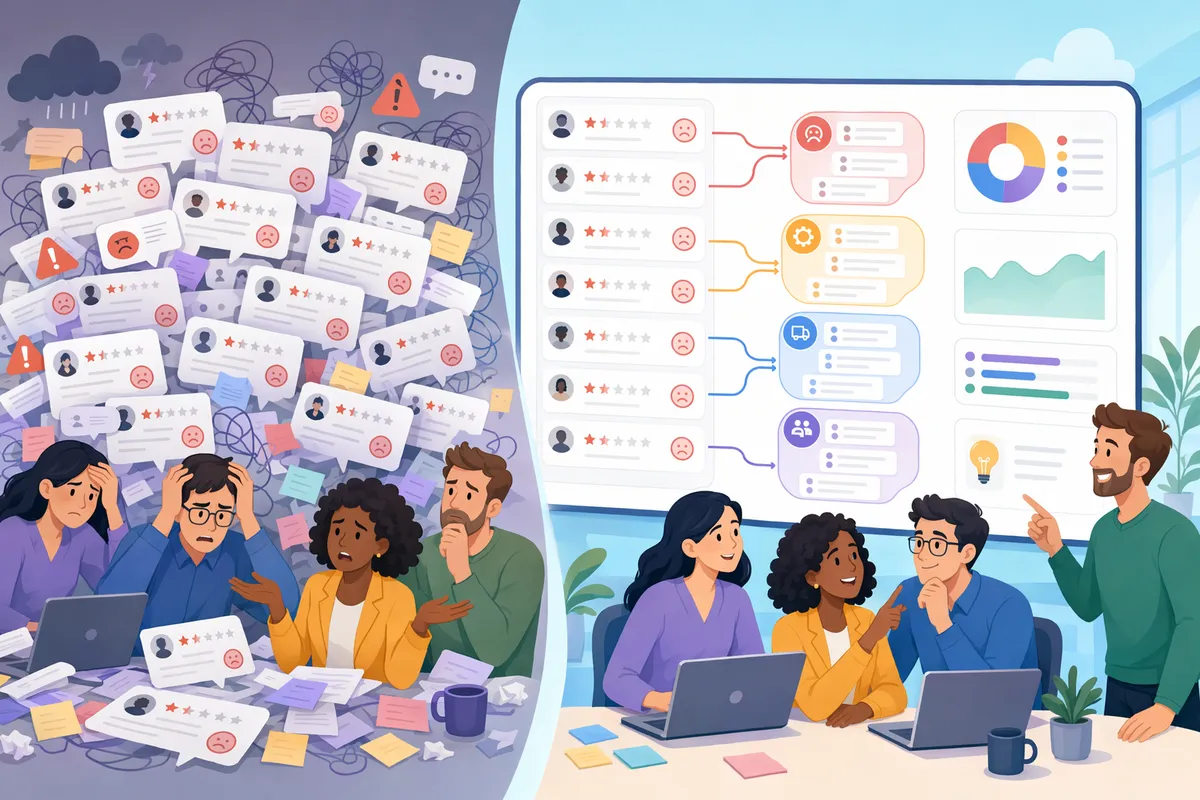
Are you losing thousands of potential app downloads to unanswered one-star reviews? The Android ecosystem is brutal, and review velocity directly dictates your organic ranking. Relying on manual replies simply cannot scale when your app starts gaining traction. Choosing the right Google Play Store review management software is now a mandatory requirement for development teams wanting to analyse sentiment and automate responses.
Modernise your App Store review management with ReviewSense to automate replies, recover lost ratings, and scale your growth. Teams running a portfolio across both Android and iOS should also see our mobile app review management workflow page.
The Shift to Agentic AI in App Store Optimisation
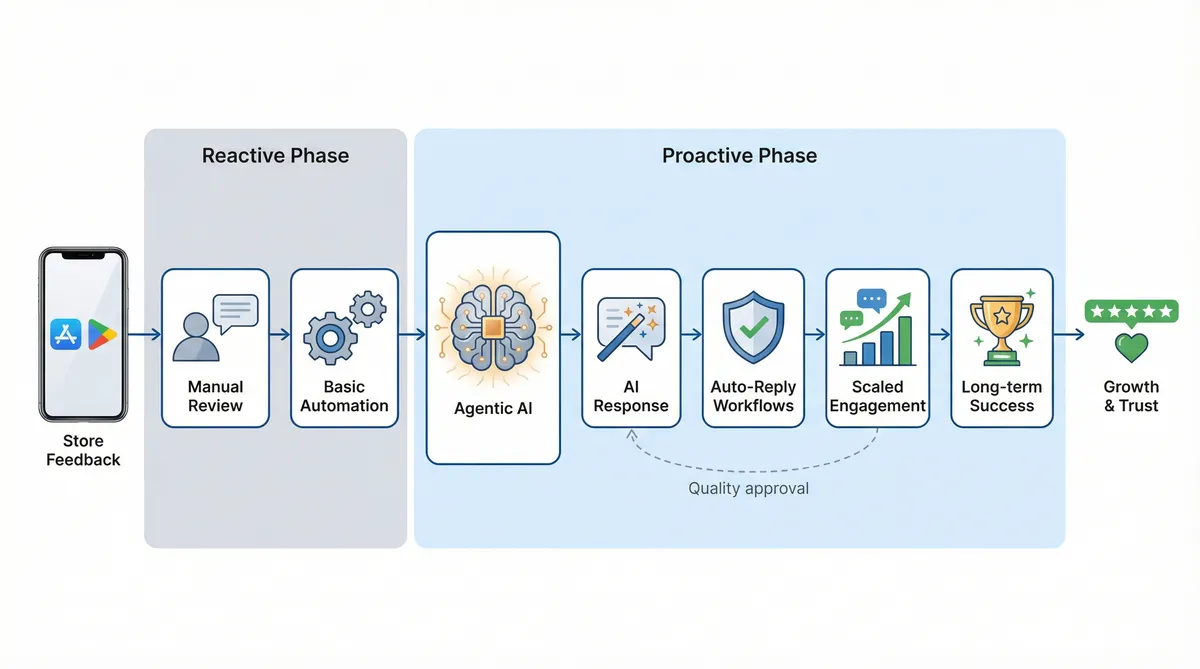
As app stores evolve, manual review handling is no longer a viable strategy. The feedback software market is growing at a 16.9% CAGR, reaching $19.56 billion by 2026. Companies are adapting fast. In fact, 75% of businesses are increasing their AI investment to keep pace. Basic automation is giving way to autonomous systems. Teams need smarter tools to manage high feedback volumes.
This transition moves teams from simple copilots to Agentic AI. These tools act autonomously to resolve issues. Google introduced native Gemini AI 'Users are saying' summaries, a move that changed user expectations. Simple summarisation is no longer enough. Platforms must provide actionable intelligence instead of basic overviews. Users want direct answers to their specific complaints.
Finding the right google play store review management software requires looking past generic tools. ReviewSense offers a specific solution for this problem. The platform features an AI response generator that creates human-like replies in seconds. You don't have to rely on robotic templates. It helps teams scale engagement while maintaining a natural brand voice. Every reply feels personal and relevant to the user.
Scaling your strategy requires proper oversight. ReviewSense streamlines this with auto-reply workflows and approval queues. Managers can check drafted responses before publication, ensuring strict quality control across all interactions. Effective Customer Review Management builds trust without sacrificing efficiency. Teams can focus on complex issues while the AI handles routine feedback. This balance is vital for multi-location enterprises.
Selecting the right setup is critical for long-term success. Read the guide on Review Management Software: Key Features, Use Cases, and Selection Tips to learn more. Agentic AI transforms scattered app store feedback into clear insights. Businesses can protect their reputation and drive sustainable growth. You can turn negative comments into positive customer experiences.
How Review Velocity and Sentiment Impact Google Play Rankings
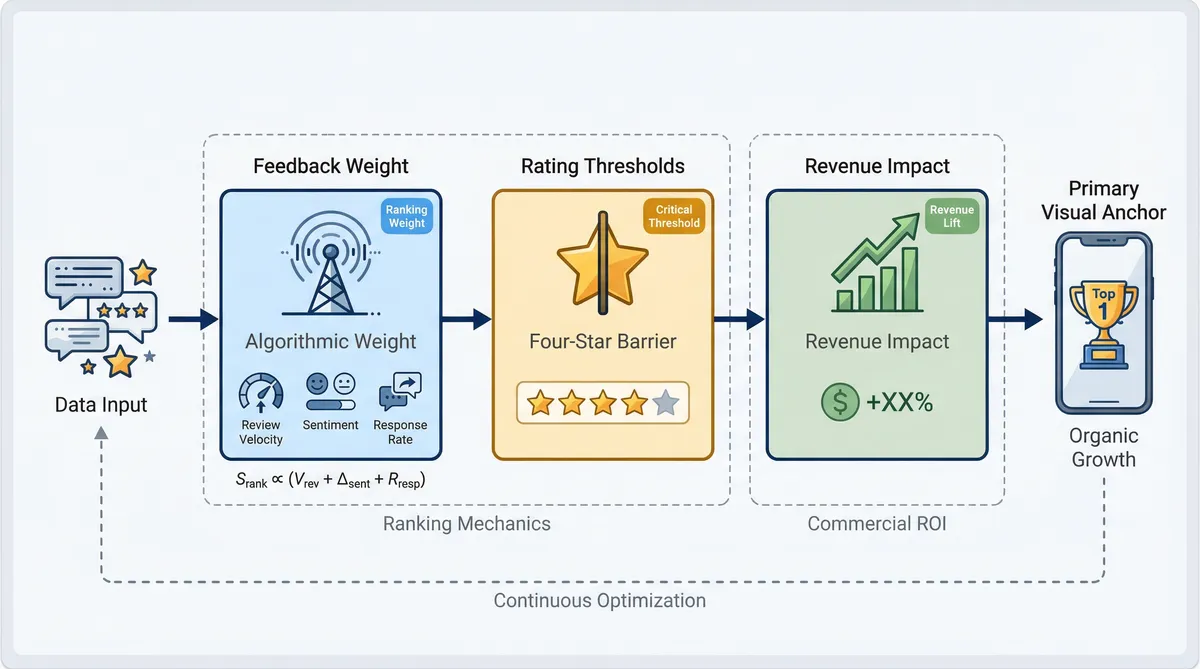
Transforming scattered feedback into positive experiences influences how algorithms judge your application. App visibility relies on user interactions. The mechanics behind these rankings follow a strict process.
Understand the algorithmic weight of feedback signals. User feedback is not just a vanity metric. Review velocity, sentiment, and response rates now account for 15-20% of Google Play's local search ranking algorithm. A steady stream of positive ratings signals relevance to the search engine. High response rates show active developer engagement.
Break through the four-star barrier. App visibility drops sharply for lower-rated applications. Nearly 50% of users will not download an app below four stars. Currently, only about 234,000 apps maintain this critical threshold. Falling below this line limits your organic reach. Users scroll past poorly rated options.
Measure the direct revenue impact. Improving your rating drives clear financial returns. A one-star increase can lift organic revenue by 5% to 15%. Tracking these metrics requires dedicated google play store review management software. Manual tracking cannot capture these shifts fast enough.
ReviewSense helps teams monitor these specific ranking factors. The platform uses detailed analytics to track sentiment trends and review velocity over time. You can measure your performance accurately. For teams handling high volumes, an AI review Response Generator ensures you maintain the response rates algorithms favour.
Developers need clear data to guide their updates. Read the Complete Guide to App Store Review Management Software: Features, Benefits, and Selection Tips to understand how analytics shape product roadmaps. You can pinpoint which features drive negative sentiment and fix them.
Comparing Top Google Play Store Review Management Software
Translating those analytics into action requires choosing the right platform for your team. Evaluating google play store review management software means looking at how each tool handles automation. The market offers distinct approaches to scaling your feedback strategy.
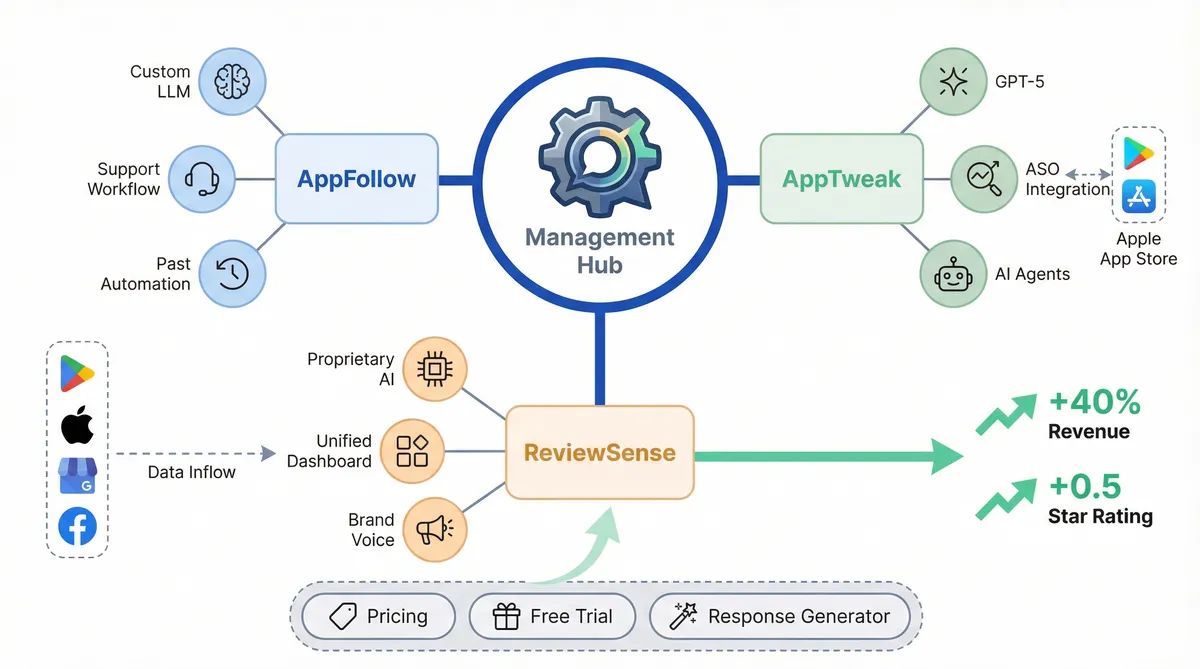
| Platform | AI Core | Key Edge | Recent Additions |
|---|---|---|---|
| AppFollow | Custom LLM | Support Workflow | Retrospective Automation |
| AppTweak | GPT-5 | ASO Integration | AI Agents |
| ReviewSense | Proprietary AI | Unified Dashboard | Custom Brand Voice |
AppFollow focuses on support desk integration. Their custom LLM powers retrospective automation to categorise past tickets. AppTweak takes a different route. They integrate GPT-5 with App Store Optimisation data. Their AI agents help marketers align keyword strategies with user sentiment. Both tools serve specific requirements well.
Many businesses need a broader view of their reputation. ReviewSense acts as a unified dashboard. It aggregates feedback from Google Play, Apple App Store, Google Business Profile, and Facebook. You don't need separate tools for local SEO and mobile apps. This consolidation saves time for multi-location enterprises.
Personalised replies drive measurable growth. In 2026, companies using AI-driven 10-point personalisation saw a 40% revenue boost. ReviewSense enables this through custom voice settings. You can generate on-brand replies instantly. Data from 2025 shows that a 0.5 increase on a 5-star scale correlates with a 5–9% increase in revenue.
Evaluating these tools shouldn't involve hidden costs. ReviewSense offers transparent Pricing and a free trial. SMBs can test the platform without long-term commitments. If you need help handling difficult feedback, try the Negative Review Response Generator. It provides immediate value while you assess the full suite.
Real-World ROI: Successes and Failures in Review Management
Moving beyond basic evaluation, the true value of these platforms becomes clear when examining market outcomes. Proper google play store review management software dictates whether an application thrives or disappears entirely. A proactive strategy protects your brand reputation. Consider these contrasting scenarios from the mobile market:
- The North Face Success: This retailer improved their app rating from 3.71 to 4.54. This 22% increase didn't happen by chance. They used targeted software to implement strategically timed in-app prompts. These requests appeared after successful checkouts. Capturing users at peak satisfaction drove massive improvements. Positive sentiment elevated their search rankings.
- The Gaming Client Failure: An unnamed gaming client took the opposite approach. They ignored user feedback. This negligence resulted in a shadow-ban by store editorial teams. The studio lost millions in organic downloads. Unanswered complaints destroyed their visibility. Users felt ignored and abandoned the game.
- The ReviewSense Solution: You can avoid these catastrophic failures. ReviewSense provides crisis alerts for negative spikes. Teams receive instant notifications about recurring bugs or toxic content. You can address critical issues before the algorithm penalises your app. Automated routing ensures the right developers see the feedback. This saves valuable time during critical outages.
Modern consumers expect rapid resolutions. The Zendesk CX Trends 2026 report highlights that 81% of customers interact with AI-driven support. Manual monitoring simply cannot keep pace with these high expectations.
Effective Google Play Review Management requires proactive tools. You need systems that catch problems early. Using AI review Response Generators to Improve Online Reputation helps teams maintain high engagement. This ensures your app stays visible and profitable. Ignoring user sentiment destroys developer credibility.
Contrarian Strategies for Managing App Feedback
Maintaining developer credibility requires ignoring standard advice. Most consultants preach the 'reply to everything' rule. This wastes resources. Replying to five-star reviews offers zero return on investment. Your team must focus on managing the 'Helpful' vote on one-star reviews. When users mark a negative complaint as helpful, the algorithm pins it to your store listing. You must suppress these complaints by resolving the issue quickly.
This brings us to review mining. You should treat negative feedback as an engineering roadmap rather than a PR crisis. Angry users provide reproduction steps for crashes. Proper google play store review management software captures these details. Instead of issuing apologies, product teams extract bug reports to guide their next sprint. This creates a better product.
Many developers miss the blind spot of device specificity. Google Play ratings are geo-locked and tied to specific hardware. A crash loop on a Samsung tablet in London impacts the rating shown to similar users. It doesn't affect your global score. Understanding this fragmentation changes how you prioritise fixes for your user base.
ReviewSense makes this approach possible. The platform features sentiment analysis that extracts topics automatically. It flags technical issues across specific devices or regions. This allows your team to ignore vanity metrics and focus on feedback that impacts retention. You stop wasting time on irrelevant data.
Learning How to Manage App Store Reviews at Scale: Workflows, Triage, and Automation requires strict prioritisation. You can read How to Use Free AI review Response Generators to Improve Customer Communication to handle basic queries while engineers tackle bugs. This shifts your strategy from reputation management to product development.
Conclusion
Effective Google Play review management isn't about issuing generic apologies or replying to every five-star rating. Instead, protecting your app's visibility requires treating negative feedback as a strategic engineering roadmap. Success depends on identifying device-specific bugs, resolving highly-voted complaints rapidly, and monitoring crisis alerts before algorithms penalize your store listing.
Manual monitoring cannot keep pace with these demands. Mobile teams need intelligent systems that automatically extract key topics, detect spam, and route critical issues directly to developers. By shifting your focus from basic public relations to proactive product development, you protect your credibility and ensure long-term profitability.
Ready to transform scattered reviews into actionable insights that improve customer experience and drive growth? Start your 7-day free trial.